Two isolation models.
Only one holds up under audit.
HP Sure Access isolates remote-access sessions inside Windows. YS::Desktop isolates entire work environments inside one workstation, whose root of trust doesn’t depend on the host OS.
Only one of them is fully compliant with ANSSI’s requirements for multi environment workstations
If your obligations stop at “appropriate measures”, Sure Access may qualify on paper. If you face
audit, obligations related to dedicated workstation, or restricted environments (IGI 1300), the
difference becomes critical.

How each solution isolates your sensitive work, and what the root of trust depends on.
HP Sure Access
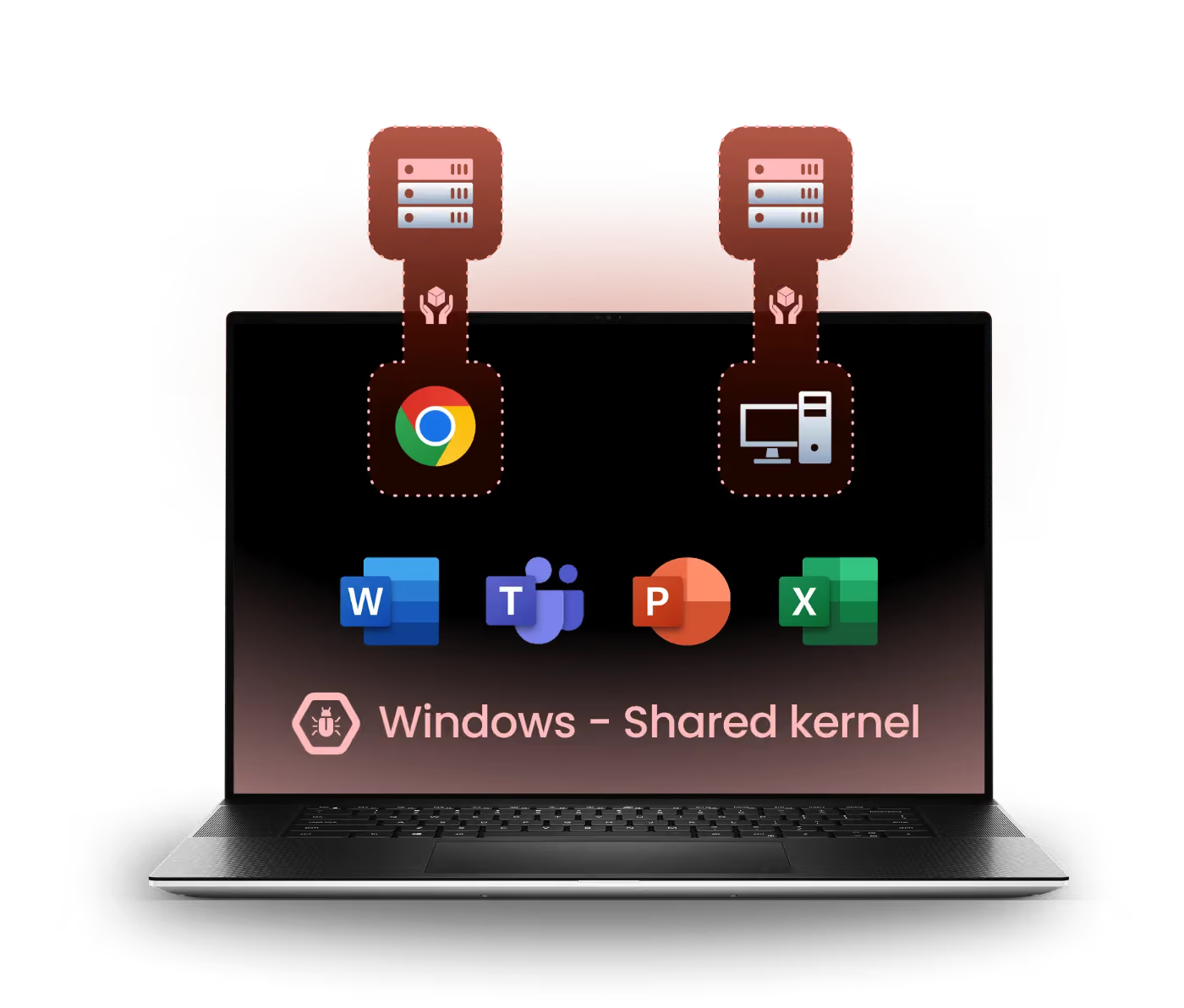
Hardware
YS::Desktop
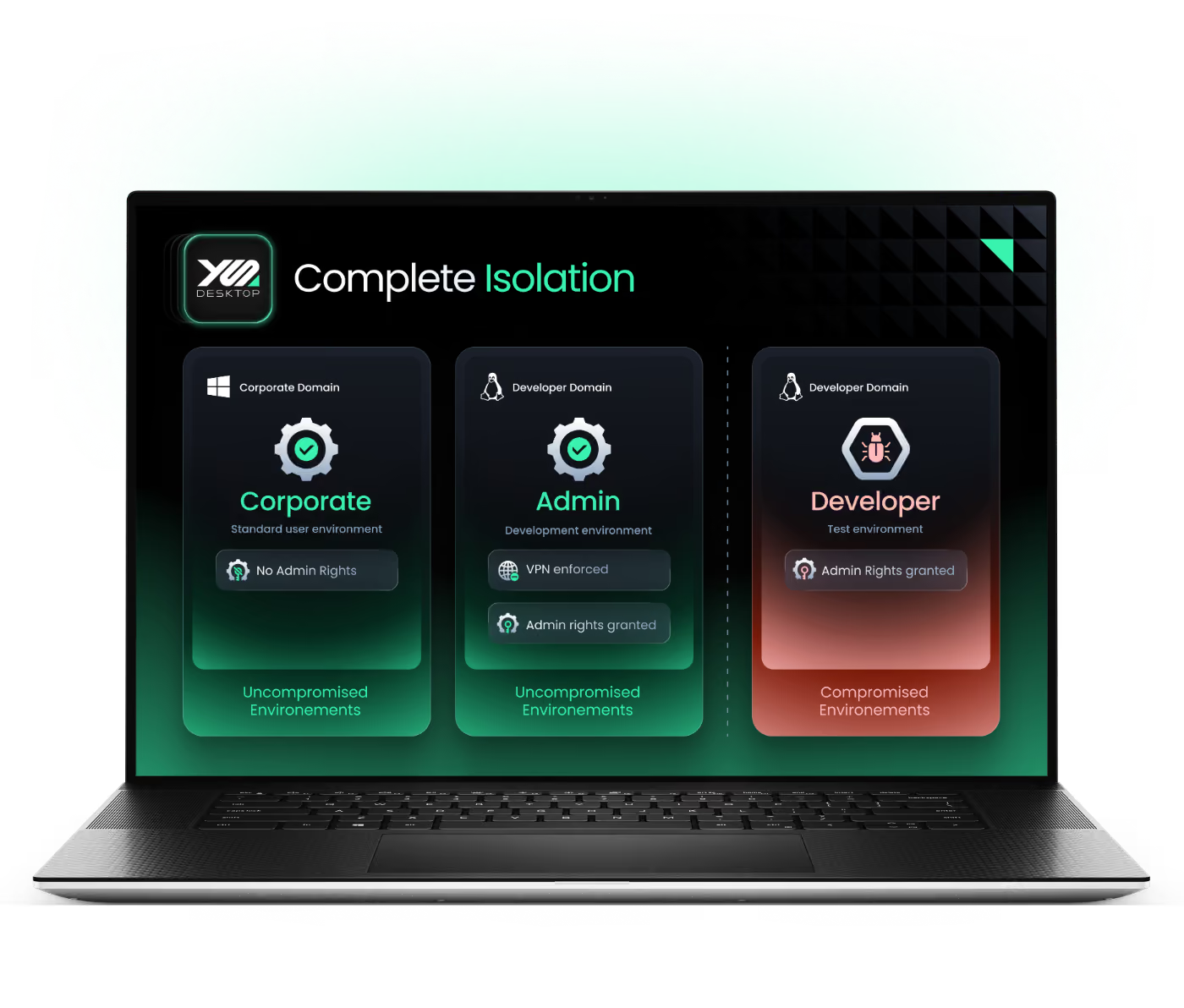
Hardware
YS::Desktop : Built on ANSSI’S Rulebook
ANSSI published a dedicated guide for multi-environment workstations in January 2026. HP Sure Access's architecture does not meet it. The requirement (§2.3) is a full OS-level VM isolation between user domains, with no shared kernel layer. HP Sure Access runs micro-VMs on top of Windows, making Windows that shared layer. For essential entities under audit, this is not a grey area. Read ANSSI’s Guide >

HP Sure Access VS YS::Desktop
Comparative | YS::Desktop | HP Sure Access |
|---|---|---|
 In one word | Runs multiple fully isolated environments on one workstation. Each with its own OS kernel. Works offline. | Runs non-persistent, isolated micro-VMs for remote access sessions. Windows remains the shared base. |
 Isolation model (security) | > Full isolation (air gap) between environments > Only the hypervisor controls the hardware | > Is installed and updated from Windows, which remains in the chain of trust > Doesn’t isolate all the environment, only the remote session |
 Compliance to regulations and good practices | > NIS2 for all entities > ANSSI’s guide for secure administration > ANSSI’s guide for multi-environment workstation > Restricted environments | NIS2 on paper, for less critical entities only |
 Performance | > Dynamic allocation of resources > Direct hardware passthrough for consuming needs | > Low overhead > Hardware acceleration |
 Compatibility | > Compatible with everything a standard workstation supports > Runs Windows and Linux guest environments | > Windows only > Works with RDP, SSH, Citrix and web access sessions |
 Deployment and administration | > On-site deployment > Need to reinstall the workstations > Easy admin with central console | > Remote deployment via HP Cloud > Immediate setup > Easy admin with central console |
 Recommended for… | > Admin workstations > OT operations of all kinds > NIS2 essential and important entities > Restricted environments > Developers > Pentesters > Consultants > M&A | > Admin remote tasks > OT remote operations > Eventually, NIS2 important entities > Callcenters |
The scenarios where the architectural gap between HP Sure Access and our solution is decisive :
Admin Workstation (PAW)
HP Sure Access isolates the remote session, not the system. The host Windows OS remains a potential attack surface. With YS::Desktop, each environment is isolated at the hypervisor level from the moment it boots. The admin OS never shares a kernel with any other environment.
OT & Field Operations
Technician intervention on-site, in air-gapped or offline zones. HP Sure Access doesn't cover this. Our VMs run fully offline and provide complete isolation even without any network connectivity.
Restricted Environments (IGI 1300)
HP Sure Access's architecture is incompatible with IGI 1300 requirements. Our solution is the only one aligned with ANSSI’s guide for multi-environment workstations, opening the path to formal approval.
NIS2 Entities
HP Sure Access meets the requirements of the NIS2 Directive through "appropriate measures", a phrase that is vague enough to be deemed sufficient on paper for important entities. But for essential entities under ANSSI audit, the guide for multi-environment workstations removes the ambiguity: a shared Windows kernel does not meet the isolation requirement. YS::Desktop meets it without caveats.
Developers & Multi-profile Users
HP Sure Access is designed for occasional access to a sensitive system, not for running several active work environments in parallel. YS::Desktop has been built for it: office and dev (or else) environments run in parallel on a continuous basis.

“ We went with YS::Desktop because Sure Access still has a weak spot inside Windows. The passwords to get into the micro-VM's sensitive data are just sitting in a KeePass on the Windows side. If that gets compromised, it doesn't matter how secure the micro-VM is. ”





Objections that come up in every evaluation
against HP Sure Access, answered Upfront


Ready to isolate
Without Compromise?
Live walkthrough by specialists who've solved this for teams like yours.