Count in days, not months :
How YS::Desktop Rolls Out
Deploying isolated work environments across your fleet sounds like a project. Actually, it’s three phases, not measured in weeks. We spend half a day on-site with you to stand up your administration console and walk through your first few installs hands-on. After that, you're set to roll out at your own pace, across your entire fleet.

Assess Your Fleet
> Know Before you Go
Recommended Configuration :
Before anything gets installed, check your fleet against this simple checklist :


Phase 1
Build
Assess Your Fleet
> Know Before you Go
What to prepare :

BIOS/UEFI
A handful of BIOS/UEFI settings need enabling. A quick job, not a redesign.
Server
Any Linux server can host your admin console.
Network
YS::Desktop adapts to your existing setup rather than asking you to reconfigure around it.
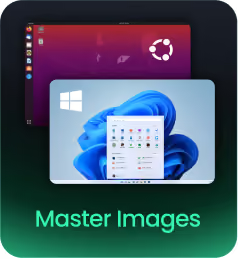
Master Images
YS::Desktop is compatible with your existing master images.
> You're all set now


Phase 2
Build
Set up your Admin Console
> One console to rule them all... in just a few steps !
What to prepare :
Install the YS::Admin Center (YAC) console on the server of your choice: your infrastructure, your rules, hosted wherever you want.
Choose your path:
> Want zero-touch deployment at scale? Configure PXE.
> Prefer machine-by-machine control? Skip it and use a USB key later.
Connect to your freshly installed YAC, import your license and create your very first admin account.
A way for machines to boot and configure themselves directly over the network, without a USB key or manual intervention. It's the technology behind the "fast at scale" deployment path above.
> Your console is live !


Phase 3
Build
Deploy your way
> Three paths, the same destination
YS::Desktop installs below any OS, directly on the hardware.
As with any bare-metal install, this formats the target disk, so back up your data first. Once that's planned for, the rest is just choosing.
Fast at Scale
Connect your machines to the console: deploy your configurations rapidly across the network.
Guided,
One at a Time
Boot from a USB key, connect to the console (YAC): it supplies your configurations in real time.
No Network
required
Pre-configure the installation from your console, load it onto a USB key and deploy on any machine, connected or not.
> Installing YS::Desktop


Phase 3
Build
Deploy your way
> Master Images: From YAC to your users
Virtual machines are managed directly from the YAC console, which handles master image downloads automatically. The first time your users launch YS::Desktop, their VMs will already be listed and ready to go.

Installing YS::Desktop...
Reboots automatically
> Congrats, installation is complete!


SIimplified Day-To-Day
Management.
All the control, none of the maintenance burden.

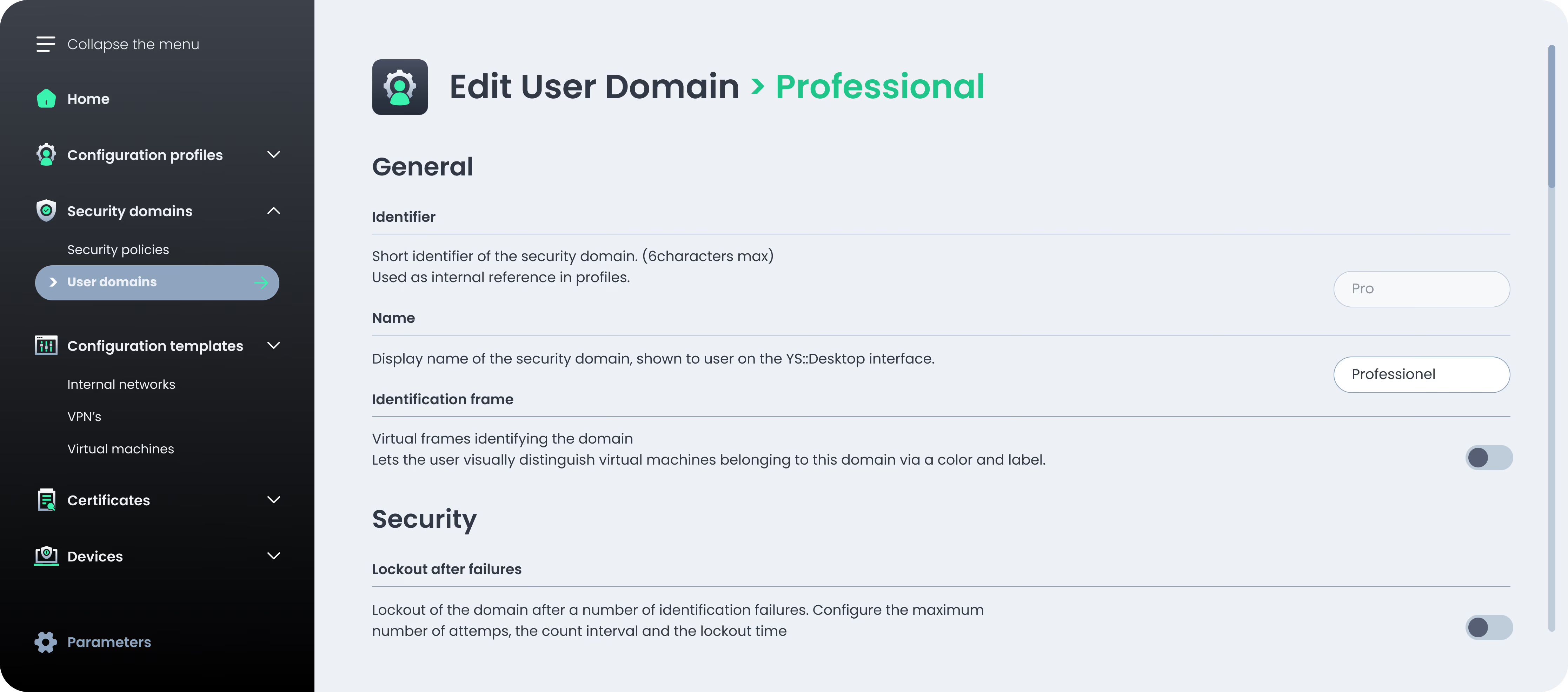
Fleet Deployment and Management made Simple



simple, clear
> Create user profiles once, deploy them across your fleet.
> Roll out your VM images in one click, just hit “download”


> Configure your enterprise PKI, endpoints pick it up automatically.
> Push VPN configuration once: it’s live everywhere.
with precision
> Set security policies down to a group or individual machine.
> Track exactly how many licenses are deployed, and how many you have left.
simplified and safe
> Let your console check in and retrieve updates on its own: pull mode, no manual fetch.
> Count on a guaranteed cross-version compatibility.
Zero Telemetry
We don't collect data. What happens on your machines stays between you and your endpoints. What you configure in your admin console is known only to you.
No Change to your Update Process
YS::Desktop runs beneath your OS, not inside it. Whatever you use to patch and update your systems today, Autotune or otherwise, keeps working exactly as before. Nothing to reconfigure, nothing to replace.



Ready to isolate
Without Compromise?
Live walkthrough by specialists who've solved this for teams like yours.